
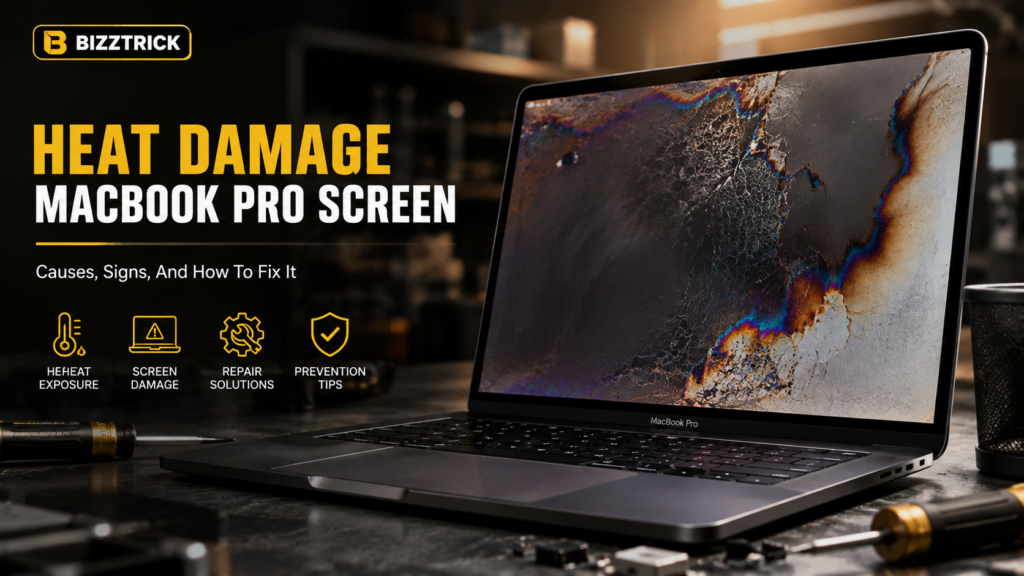

If your MacBook Pro screen suddenly shows discoloration, flickering, or strange marks, heat damage could be the hidden culprit. Modern laptops like the MacBook Pro are powerful machines—but that power generates heat. Over time, excessive heat can silently damage your screen and internal components.
In this guide, you’ll learn everything about heat damage MacBook Pro screen issues, including causes, signs, fixes, and practical ways to prevent it. Whether you’re a student, freelancer, or SEO professional working long hours, this guide will help you protect your device and avoid costly repairs.
What Causes Heat Damage in a MacBook Pro Screen?
Heat damage doesn’t happen overnight—it builds up gradually due to poor thermal management or heavy usage.
🔥 Common Causes:
- Overheating from heavy tasks (video editing, gaming, SEO tools running simultaneously)
- Blocked air vents (using the laptop on bed, sofa, or lap)
- Faulty cooling system (fans not working properly)
- High ambient temperature (hot environments like summer in Pakistan)
- Charging while using intensively
- Using non-original chargers or accessories
💡 Real Insight:
If you run multiple Chrome tabs, SEO tools, or editing software for hours, your MacBook Pro heats up quickly—even more in warmer climates.
Signs of Heat Damage on MacBook Pro Screen
Recognizing early symptoms can save your laptop from permanent damage.
⚠️ Warning Signs:
- Yellow or white spots on screen
- Screen discoloration or fading
- Flickering or blinking display
- Dead pixels or dark patches
- Screen burn or ghost images
- Warped display or uneven brightness
🔍 Pro Tip:
If your screen looks fine when cool but worsens after long use, heat damage is very likely.
How Heat Affects MacBook Pro Display Internally
Your MacBook screen is made of delicate components like:
- LCD/LED panel
- Liquid crystals
- Backlight system
- Display connectors
When exposed to excessive heat:
- Liquid crystals degrade
- Adhesive layers weaken
- Internal circuits get damaged
- Backlight becomes uneven
This leads to permanent visual defects if not addressed early.
Can Heat Damage Be Fixed?
✅ Minor Issues:
If the damage is mild:
- Restart your MacBook
- Let it cool completely
- Reset SMC (System Management Controller)
- Adjust display settings
❌ Severe Damage:
If physical damage exists:
- Screen replacement is usually required
- Cost may range from $200–$600+ depending on model
💡 Expert Advice:
If you see physical spots or burns, software fixes won’t help—you’ll need professional repair.
Step-by-Step: How to Check If Heat Is the Problem
- Use your MacBook for 1–2 hours
- Check if the device gets unusually hot
- Observe screen changes
- Compare screen condition after cooling down
- Run Apple Diagnostics (press D during startup)
How to Prevent Heat Damage (Very Important)
Prevention is always cheaper than repair.
🧊 Cooling Tips:
- Use a laptop cooling pad
- Keep vents clean and dust-free
- Avoid using on soft surfaces
- Work in a cool environment
⚙️ Usage Tips:
- Close unnecessary apps and tabs
- Avoid heavy tasks for long periods
- Don’t block airflow while charging
- Update macOS regularly
🔌 Hardware Tips:
- Use original Apple charger
- Replace faulty fans immediately
- Monitor temperature using apps like:
- Macs Fan Control
- iStat Menus
Real-Life Example
A freelance SEO expert working 8–10 hours daily noticed yellow patches on his MacBook Pro screen. The cause? Running heavy tools like Ahrefs, Chrome with 30+ tabs, and video editing software—without proper cooling.
After installing a cooling pad and reducing workload intensity, further damage stopped—but the existing screen marks required replacement.
When Should You Visit a Technician?
Go for professional help if:
- Screen damage is visible permanently
- Device overheats quickly
- Fans make unusual noise
- Performance drops significantly
FAQ Section
❓ Can heat permanently damage a MacBook Pro screen?
Yes, prolonged overheating can cause irreversible damage to the display components.
❓ Is it safe to use a MacBook while it’s hot?
Occasionally yes, but consistent overheating can shorten its lifespan.
❓ How do I cool down my MacBook fast?
Shut it down, unplug it, and place it in a cool, ventilated area.
❓ Does heat damage come under Apple warranty?
Usually no, unless it’s due to a manufacturing defect.
Conclusion
Heat damage to a MacBook Pro screen is a serious but preventable issue. By understanding the causes and taking proactive steps, you can extend your laptop’s life and maintain peak performance.
Don’t ignore early warning signs—small issues today can turn into expensive repairs tomorrow.
👉 Take action now: Improve your cooling setup, manage your workload, and protect your investment.